On this page
Results at a glance#
| Model | Exact items (of 124) | Char. error rate | s/page, PaddlePaddle 3.2.0 | s/page, ONNX Runtime | Peak RAM | Model size |
|---|---|---|---|---|---|---|
| PP-OCRv6 medium | 123 | 0.03% | 4.51 | 2.92 | 2.6–2.9 GB | 139 MB |
| PP-OCRv6 small | 121 | 0.17% | 1.23 | 0.90 | 1.5–1.9 GB | 31.6 MB |
| PP-OCRv6 tiny | 111 | 9.83% 0.46% without Japanese | 0.39 | 0.26 | 1.3–1.4 GB | 6.6 MB |
| PP-OCRv5 server | 117 | 0.34% | 5.25 | 35.70 | 3.5–5.2 GB | 173.6 MB |
| PP-OCRv5 mobile | 117 | 0.67% | 0.90 | 0.73 | 1.4–1.8 GB | 22.1 MB |
Seconds per page: median of 3 warm runs per document, averaged over 5 documents. Character error rate: mean over the 5 documents. Peak RAM: maximum resident memory of the whole Python process (range across the two engines). Model size: detection + recognition files on disk in decimal megabytes (106 bytes), PaddlePaddle format; the ONNX files are within 1 MB. The official docs quote the same files in MiB, so medium appears there as 133 MB.
Lower is faster. 4 vCPU Intel Xeon @ 2.10 GHz, no GPU. PP-OCRv5 server under ONNX Runtime is off the scale (35.7 s) and shown in the table only.
| Model | PaddlePaddle 3.2.0 | ONNX Runtime |
|---|---|---|
| PP-OCRv6 tiny | 0.39 s | 0.26 s |
| PP-OCRv5 mobile | 0.90 s | 0.73 s |
| PP-OCRv6 small | 1.23 s | 0.90 s |
| PP-OCRv6 medium | 4.51 s | 2.92 s |
| PP-OCRv5 server | 5.25 s | 35.7 s — off scale |
Higher is better. Same result on both engines for every model.
| Model | Exact items |
|---|---|
| PP-OCRv6 medium | 123 |
| PP-OCRv6 small | 121 |
| PP-OCRv5 server | 117 |
| PP-OCRv5 mobile | 117 |
| PP-OCRv6 tiny | 111 |
What we'd tell a friend#
Use PP-OCRv6 medium when accuracy matters#
It missed one item in 124, and that one is arguable: it read
600x600as600×600. It also beat the previous flagship, PP-OCRv5 server, on both accuracy (123 vs 117) and speed (4.5 s vs 5.2 s per page with PaddlePaddle).Use PP-OCRv6 small for speed on CPU#
3.3–3.7× faster than medium with two extra misses, both the same confusion (
Order→0rder). It's also the model our browser tool runs.Use tiny only if you never need Japanese#
On Latin and Chinese text tiny was close behind (0.46% character errors without the Japanese page), but on Japanese it produced gibberish — 47% character errors — exactly as the docs warn: its dictionary has no kana.
Try ONNX Runtime on CPU#
engine="onnxruntime"made every PP-OCRv6 tier 1.4–1.5× faster with identical text. The exception: PP-OCRv5 server became 7× slower, so don't use that combination.Pin PaddlePaddle to 3.2.0#
PaddlePaddle 3.3.1 — what
pip install paddlepaddlegives you today — crashed PaddleOCR 3.7.0 on CPU. Its workaround,enable_mkldnn=False, costs a lot of speed (below).
Every mistake, model by model#
A single error rate hides what kind of errors a model makes. These are all the ground-truth items each model got wrong (the PaddlePaddle and ONNX Runtime engines produced identical text):
| Model | Document | Expected | Got |
|---|---|---|---|
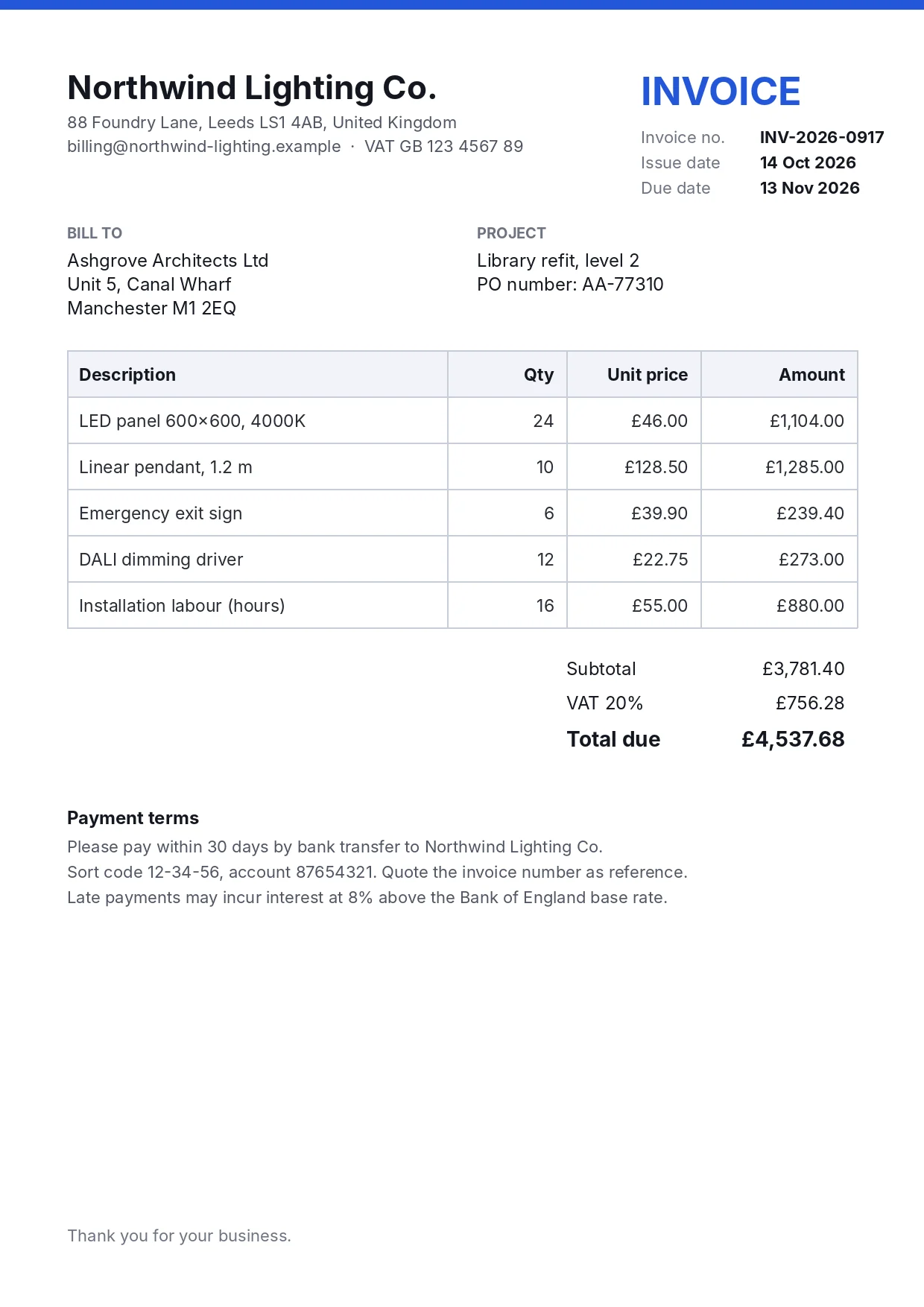
| v6 medium | invoice | LED panel 600x600, 4000K | LED panel 600×600, 4000K |
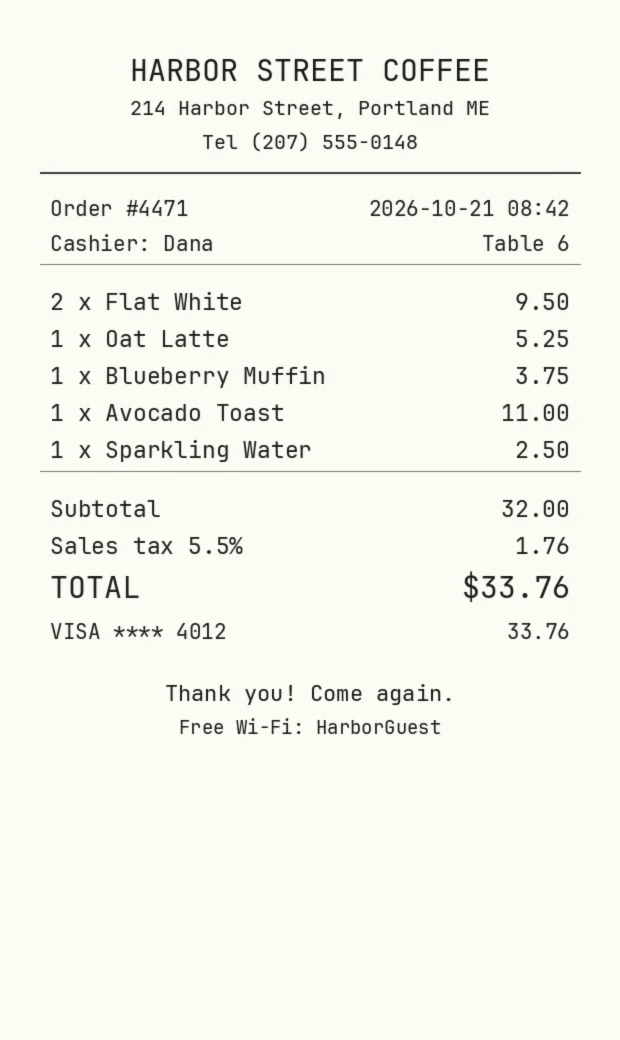
| v6 small | receipt, receipt photo | Order #4471 | 0rder #4471 |
| invoice | 600x600 | 600×600 | |
| v6 tiny | receipt, receipt photo | Order #4471, 1 x Oat Latte | 0rder #4471, 1 x 0at Latte |
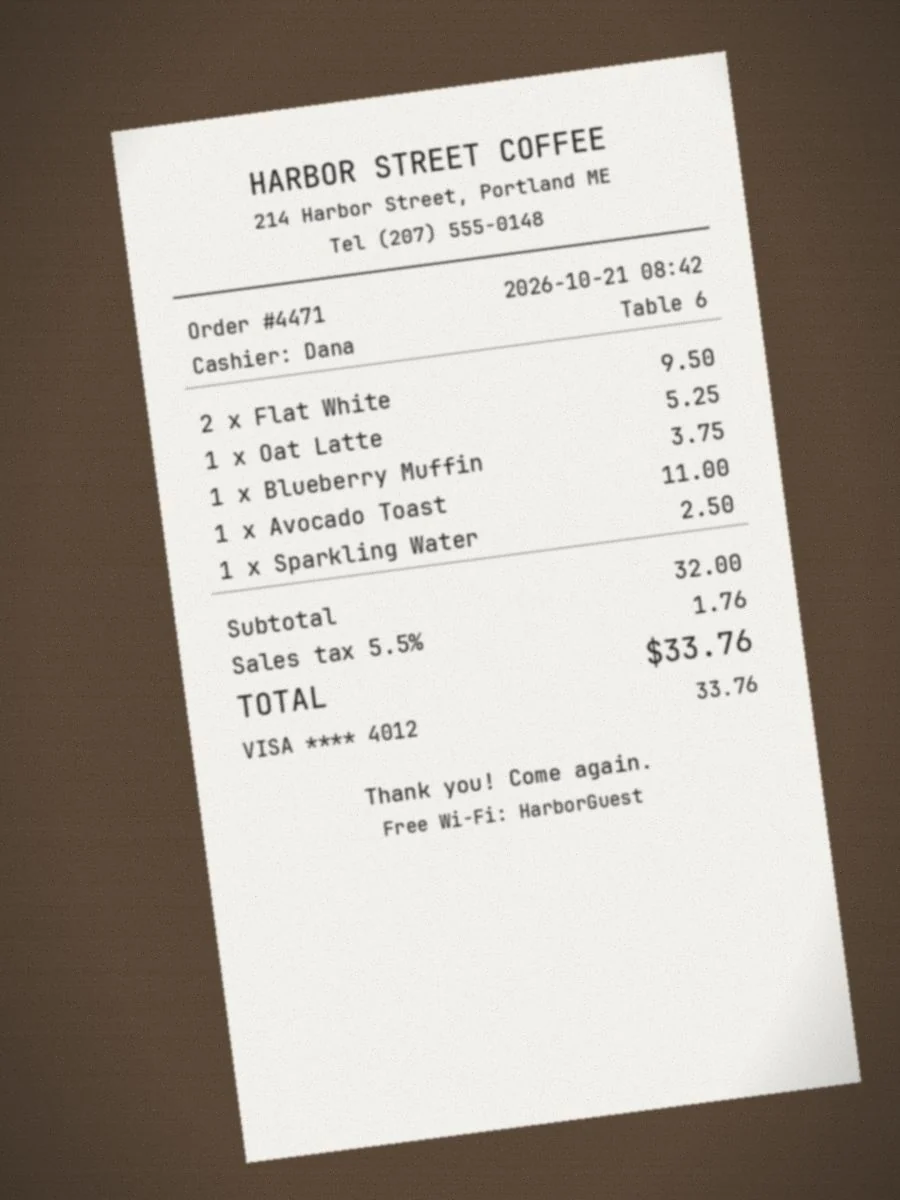
| receipt photo | 214 Harbor Street, Portland ME | 214 Harbor street,Portland ME | |
| invoice | 600x600 | 600×600 | |
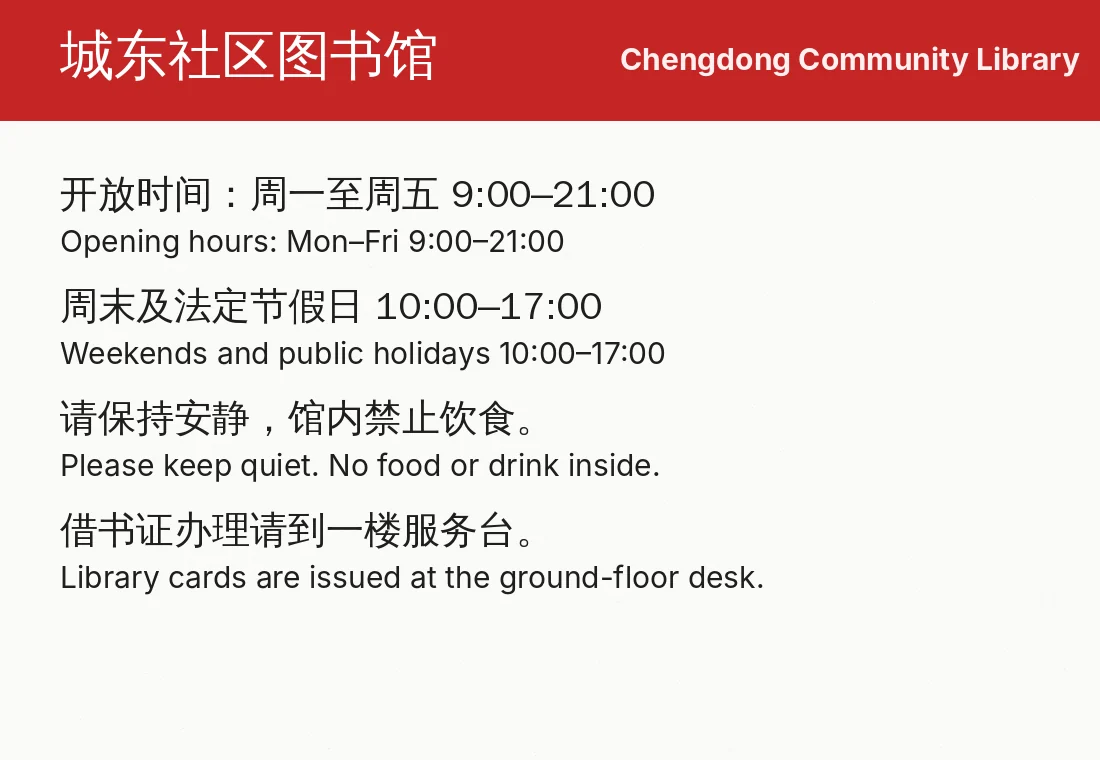
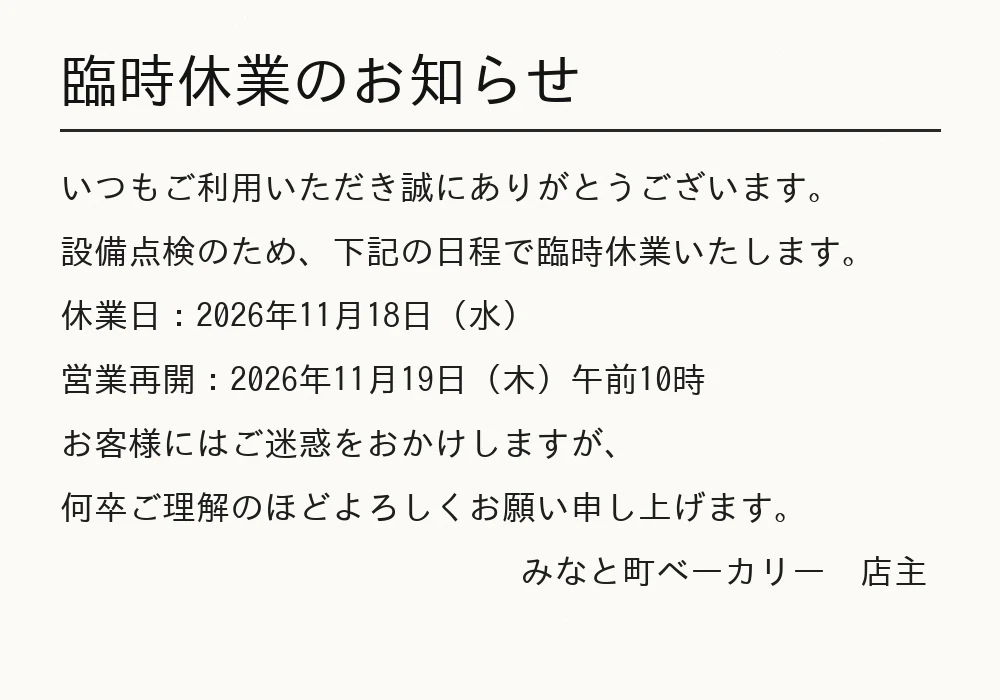
| Japanese notice | 7 of 8 lines, e.g. 臨時休業のお知らせ | 臨時休業⑦书知5世 — kana replaced by look-alike symbols | |
| v5 server | receipt photo | Portland, 1 x Avocado Toast, TOTAL | PortLand, xAvocado Toast, TOTAl |
| invoice | 13 Nov 2026, Canal Wharf, level 2 | 13 Noy 2026, CanaL Wharf, Ievel 2 | |
| invoice | 600x600, 4000K | 600×600,4000K | |
| v5 mobile | receipt | 1 x Oat Latte, 1 x Blueberry Muffin | Oat Latte, Blueberry Muffin (quantity dropped) |
| receipt photo | Portland, Order, 1 x Oat Latte | PortLand, 0rder, 1x 0at Latte | |
| invoice | Library refit, level 2, 600x600 | Library refit, (truncated), 600×600 |
Two patterns stand out. PP-OCRv6 small and tiny confuse capital O with zero in a monospaced receipt font — worth a post-processing rule if you read order numbers. And PP-OCRv5's l/I/L confusions on the invoice are exactly the errors we later saw in PP-StructureV3, which uses PP-OCRv5 server text models by default.
The tiny model and Japanese#
PP-OCRv6 tiny vs small. Lower is better. Tiny's recognition dictionary has no hiragana or katakana.
| Document | PP-OCRv6 small | PP-OCRv6 tiny |
|---|---|---|
| Receipt | 0.35% | 0.69% |
| Receipt photo | 0.35% | 1.04% |
| Invoice | 0.13% | 0.13% |
| Chinese + English | 0.00% | 0.00% |
| Japanese | 0.00% | 47.30% |
The cost of the enable_mkldnn=False workaround#
If you're stuck on PaddlePaddle 3.3.1, enable_mkldnn=False stops the crash by disabling oneDNN, PaddlePaddle's CPU acceleration library. We measured what that costs with PP-OCRv6 medium:
Lower is faster. Same documents, same model, same machine.
| Setup | Seconds per page |
|---|---|
| ONNX Runtime | 2.92 s |
| PaddlePaddle 3.2.0 (oneDNN on) | 4.51 s |
| PaddlePaddle 3.3.1, enable_mkldnn=False | 11.88 s |
Disabling oneDNN made the same model 2.6× slower than the pinned 3.2.0 setup and 4.1× slower than ONNX Runtime. Pinning paddlepaddle==3.2.0 or switching engines is the better fix. Troubleshooting details.
PP-StructureV3: default vs PP-OCRv6 text models#
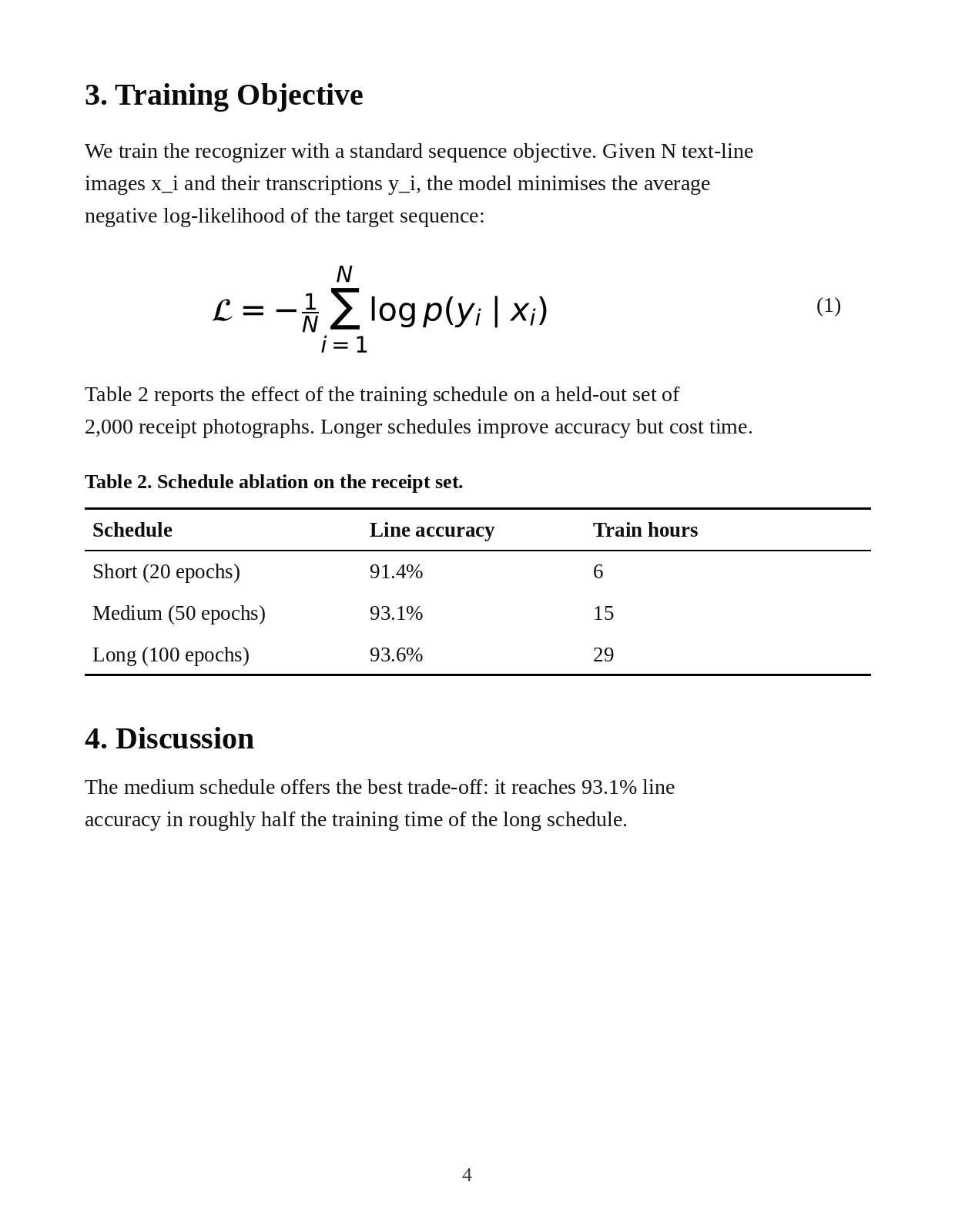
We also ran the document pipeline on our invoice and paper page. PP-StructureV3 in PaddleOCR 3.7 still defaults to the PP-OCRv5 server text models, which misread three lines of the invoice (four wrong characters). Passing the PP-OCRv6 medium models fixed all three lines:
| Invoice text | Default (PP-OCRv5 server) | With PP-OCRv6 medium |
|---|---|---|
| Due date 13 Nov 2026 | 13 Noy 2026 | 13 Nov 2026 |
| Unit 5, Canal Wharf | Unit 5. CanaL Wharf | Unit 5, Canal Wharf |
| Library refit, level 2 | Library refit, Ievel 2 | Library refit, level 2 |
| Seconds per page (warm) | 14.9 s | 13.4 s |
The table and the LaTeX formula on our paper page came out correct either way. Full outputs and the one-line fix are on the PP-StructureV3 page.
Method#
Test documents#
We generated six fictional documents with known text so every character could be checked. Five were used for text OCR (124 ground-truth items); the paper page was used for PP-StructureV3. All names and numbers are invented.
Setup#
- Machine: Linux x86-64 container, 4 vCPU Intel Xeon @ 2.10 GHz, 15 GB RAM, no GPU.
- Software: Python 3.13, paddleocr 3.7.0, paddlex 3.7.2; PaddlePaddle 3.2.0 (oneDNN on) or ONNX Runtime; PaddlePaddle 3.3.1 only for the
enable_mkldnn=Falserun. - Pipeline:
PaddleOCR(use_doc_orientation_classify=False, use_doc_unwarping=False, use_textline_orientation=False)with explicittext_detection_model_name/text_recognition_model_name; defaultlang; all other settings default. - Timing: per document, one untimed warm-up run, then the median of 3 timed
predict()calls. Models were run one at a time in separate processes. - Accuracy: each ground-truth item is matched to the best predicted line (contained in a line counts as exact, since detectors may merge neighbouring items). Whitespace and full-width punctuation are normalised on both sides. Character error rate = edit distance ÷ ground-truth characters.
Limitations#
- Our documents are synthetic and clean. Real scans and photos are harder; expect higher error rates in production. The ranking between models is more informative than the absolute numbers.
- 124 items is a small sample. A difference of one or two items between models is within noise; treat the 123 vs 121 vs 117 spread as indicative.
- One CPU, no GPU. GPU speed ratios differ; see the official speed tables for A100, V100 and Apple M4 figures.
- We didn't test PaddleOCR-VL, which needs a GPU for useful speed.
Want to reproduce it? Every script is linked under Sources. make_samples.py regenerates the images, run_all.sh runs the whole matrix, and bench.py holds the ground truth and scoring.
How this compares with Baidu's numbers#
Baidu's own in-house benchmark ranks the models in the same order we found: PP-OCRv6 medium first (detection Hmean 86.2, recognition 83.2), then PP-OCRv6 small (84.1 / 81.3), then PP-OCRv5 server (81.6 / 78.1), with tiny last on recognition (73.5). Their absolute numbers are much lower than ours; their test set is larger and more varied, so the two aren't directly comparable. The models page charts the official figures.2
FAQ#
Which PaddleOCR model is the fastest on CPU?
PP-OCRv6 tiny: 0.26 s per page with ONNX Runtime in our test. It can't read Japanese, though. PP-OCRv6 small (0.90 s) is the fastest model we'd use for general text.
Is PP-OCRv6 better than PP-OCRv5?
In our test, yes: PP-OCRv6 medium read 123 of 124 items exactly vs 117 for PP-OCRv5 server, and it was faster. PP-OCRv6 small also beat PP-OCRv5 mobile on accuracy (121 vs 117). Baidu's in-house benchmark shows the same ordering.
Is ONNX Runtime faster than PaddlePaddle for PaddleOCR?
For PP-OCRv6 on our CPU, yes — 1.4–1.5× faster with identical output. Not for PP-OCRv5 server, which was about 7× slower under ONNX Runtime.
How much RAM does PaddleOCR need?
Our whole Python process peaked at about 1.3–1.4 GB with tiny, 1.5–1.9 GB with small, 2.6–2.9 GB with medium and up to 5.2 GB with PP-OCRv5 server on ONNX Runtime, while processing an A4 invoice among other documents.
Can I use your test images?
Yes. They're synthetic and invented by us; download them from /assets/samples/ or regenerate them with make_samples.py. A link back is appreciated.
Sources
- Raw data and scripts: results.jsonl, summary.json, misses.json, bench.py, misses.py, make_samples.py, run_all.sh.
- Official PP-OCRv6 accuracy and speed tables (Baidu in-house benchmark): PP-OCRv6.en.md.
- PP-StructureV3 default text models: PaddleX 3.7.2
paddlex/configs/pipelines/PP-StructureV3.yaml(PP-OCRv5_server_det/PP-OCRv5_server_rec). - Package versions from PyPI: paddleocr 3.7.0 (2026-06-11), paddlex 3.7.2 (2026-06-25), paddlepaddle 3.2.0 and 3.3.1.